
One-tap connection
A single control connects and disconnects. The app goes straight to Android’s VPN prompt — no extra steps.
GloNet VPN · Android
GloNet VPN is a simple VPN for Android. Tap once to route your traffic through an encrypted tunnel to a GloNet server — no account, no setup, nothing to configure.
Android · Coming to Google PlayAndroid 7.0+
01How it works
No account to create and nothing to configure before you connect.
Your last location is remembered, so you’re ready to go.
Pick a server from the Locations tab. We’re starting with US East in Ashburn, Virginia.
The first time, Android asks you to allow the VPN connection. Once the app shows “Protected”, you’re connected.
When you connect, Android creates a VPN connection on your device and GloNet routes your internet traffic through an encrypted tunnel to the server you selected. Websites and apps see that server’s IP address instead of yours.
02Features
GloNet focuses on the essentials of a good VPN: a fast way to connect, honest status, and a few useful tools.
A single control connects and disconnects. The app goes straight to Android’s VPN prompt — no extra steps.
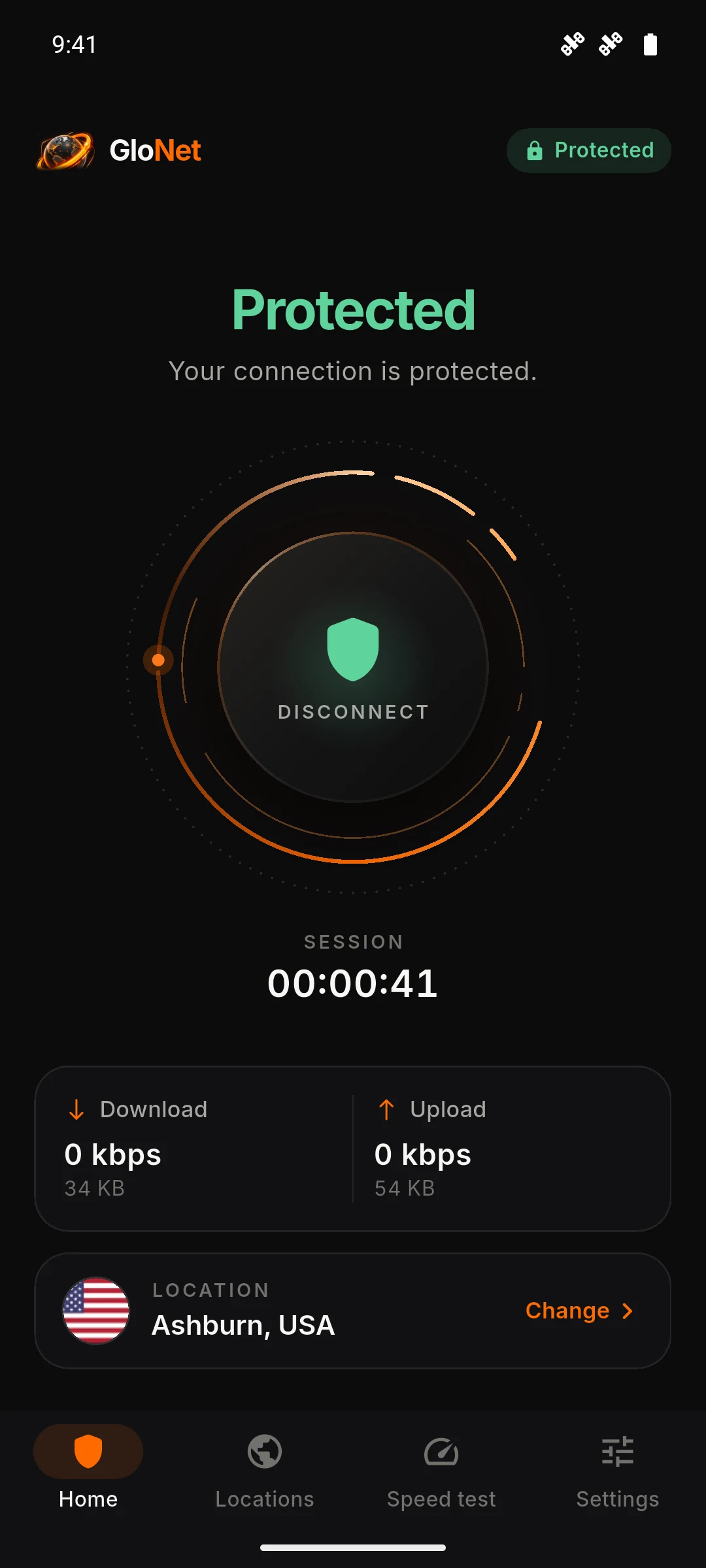
Not protected, Securing connection, or Protected — always taken from the real connection state.
How long you’ve been connected, current speed, and data used this session.
A clean location list. New locations appear automatically as they go live.
Check download and upload speed, through GloNet or on your direct connection.
Incognito tabs with caching turned off, for quick private lookups.
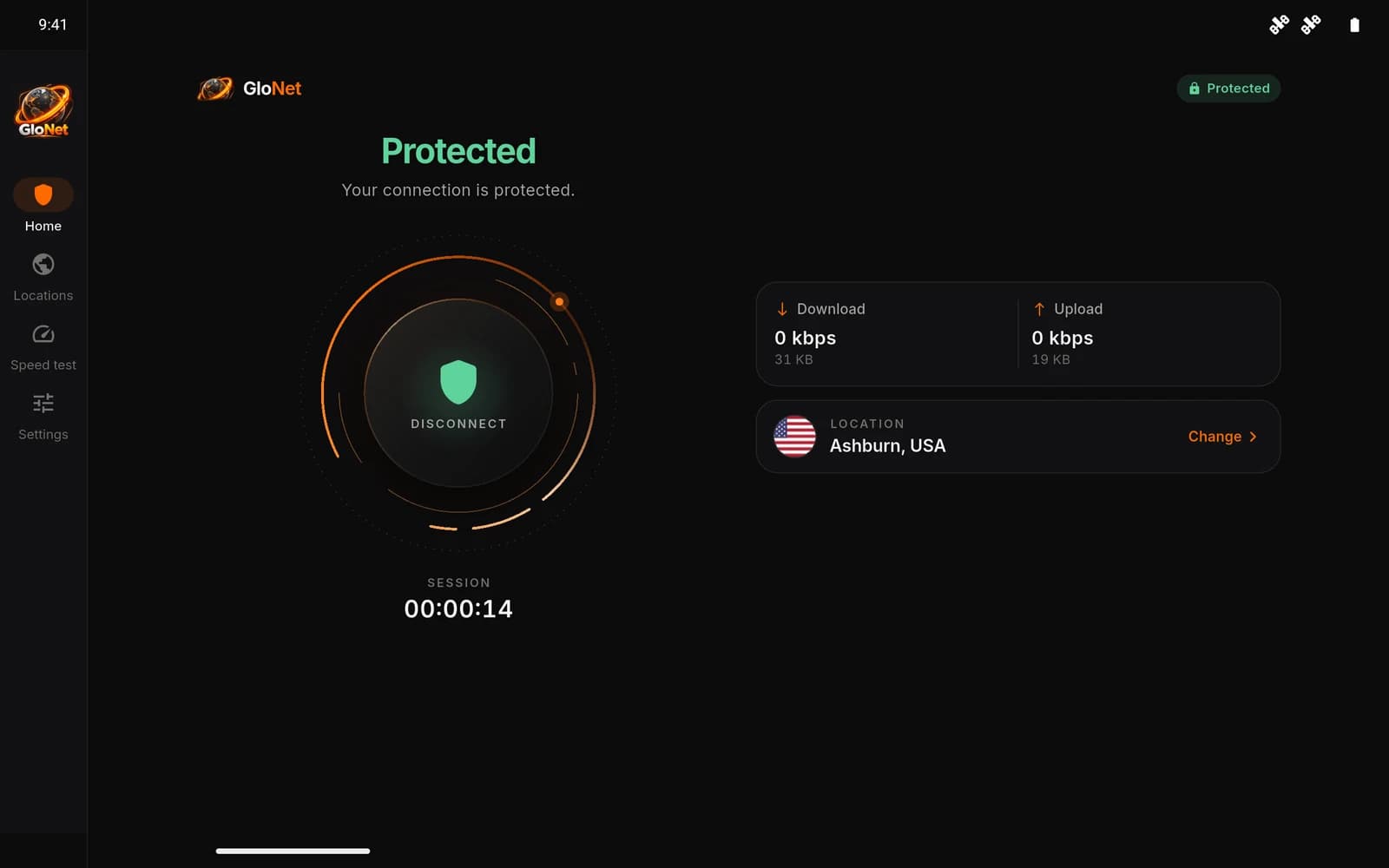
On tablets the app switches to a navigation rail and a two-column home — never a stretched phone layout.
03Infrastructure
Our first location is in Ashburn, Virginia — a major internet and data center hub on the US East Coast. More locations are coming.
04 Privacy & security
No vague promises. Here’s what GloNet does, what it can see, and which services it uses — in plain language.
Traffic between your device and the GloNet server is encrypted using VLESS with REALITY, a modern transport built on TLS 1.3. This protects it from others on your local network, such as public Wi-Fi.
The current app doesn’t ask for your name, email address or phone number. There’s nothing to sign up for.
To route your traffic, the GloNet server you connect to necessarily processes your connection — including your IP address and the destinations your traffic is sent to. Our Privacy Policy explains what we keep and for how long.
The app uses Google Firebase Analytics for basic usage statistics and includes the Google Mobile Ads SDK. Ads are currently turned off. Speed tests contact third-party test servers.
05The app
A dark, focused interface that tells you exactly what’s happening. These are real screens from the app.
HomeOne clear control and honest status.
Navigation rail, two-column home, generous spacing — GloNet is designed for Android tablets, not stretched onto them.
06Pricing
The current version of GloNet is free and needs no account. We’re planning an optional premium tier — there’s nothing to buy yet.
Everything in the app today, with no sign-up and no trial.
We’re working on an optional premium tier, such as additional locations. When it launches, features and pricing will be published here first.
07FAQ
Short, accurate answers to the things people ask most.
GloNet VPN · Android
Free, simple and built for Android. Open the app, tap once, and you’re protected.
Android · Coming to Google PlayAndroid 7.0+